
Existing Next-Generation Clustered Heat Maps (NG-CHMs)
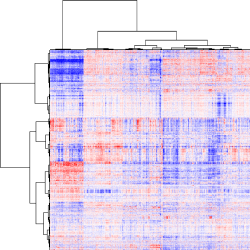
View NG-CHMs Collections
This following list contains sites known to include NG-CHMs. The description for each site includes a link to the site and a brief guide to accessing the site’s NG-CHMs.
MD Anderson TCGA NG-CHM Compendium
We created a compendium of 297 interactive Next-Generation Clustered Heat Maps (NG-CHMs) for exploring cancer bioinformatics using data from the The Cancer Genome Atlas (TCGA) project.
The Cancer Genome Atlas (TCGA) NG-CHM Compendium (opens in new tab)
If you wish to preview details about each of the TCGA Maps in the compendium you can view detailed information about each map at this website
TCGA NG-CHM Compendium Map Descriptions By Cancer Type (opens in new tab)mSigDB/GSEA
The Molecular Signatures Database (MSigDB (opens in new tab)) can generate dynamically an NG-CHM for a pathway and an expression profile.
- Select a pathway page (for instance (for instance the BIOCARTA_AKT_PATHWAY (opens in new tab)).
- Goto the Compendia Expression Profiles entry and click on one of the expression profile links under NG-CHM interactive heatmaps.
- It can take several seconds for the heatmap to generate.
TCPA
The Cancer Proteome Atlas (TCPA) (opens in new tab) uses NG-CHMs for its heatmap visualizations. To access the heat maps:
- Select the Visualization button.
- Select Heatmap Visualizations.
- Select a dataset.
- Click on one of the heatmap thumbnails.
cBioPortal
For cBioPortal (opens in new tab) studies for which we have related NG-CHMs, the cBioPortal page for that study will include a “Heatmaps” tab.
For example, the TCGA Prostate Cancer page on cBioPortal (opens in new tab) includes such a tab.
- Click on the tab to show a matrix of related NG-CHMs.
- Click on a thumbnail to open the corresponding NG-CHM.
MBatch Omic Browser
The MBatch Omic Browser (MQA) (opens in new tab) provides an interface to evaluate batch effects in data from the Genome Data Commons (GDC). NG-CHMs are one of the visualizations provided by MQA. To view an NG-CHM:
- Select a Program from the drop down list (for example, TCGA).
- While additional drop down lists appear (these are program specific), choose an entry from the list until you are down to a single matching dataset. (For TCGA, you can try Project: TCGA-BRCA, Category: RNA-Seq, Details: RNASeq-FPKM, DataSet Type: Original, Results Version: 2022_12_28_1300.)
- The Visualization page for the selected dataset should be displayed.
- Select NGCHM from the Algorithm dropdown in the left column. Large NG-CHMs may take a while to download.
MetaBatch Omic Browser
The MetaBatch Omic Browser (MOB) (opens in new tab) provides an interface to evaluate batch effects in data from the Metabolomics Workbench. NG-CHMs are one of the visualizations provided by MOB. To view an NG-CHM:
- Select a Study ID from the drop down list (for example, ST000045).
- If an Analysis ID drop down is then displayed, select one. (If you picked study ST000045, try AN000072.)
- The Visualization page for the selected study and analysis, if applicable, should be displayed.
- Select NGCHM from the Algorithm dropdown in the left column. Large NG-CHMs may take a while to download.
TANRIC
TANRIC (opens in new tab) uses NG-CHMs for its heatmap visualizations. To access the heat maps:
- Click the data use agreement.
- Click the Visualization button.
- Select a cancer type.
- Select the number of clusters (K).
- Click on one of the heatmap thumbnails.
REFLECT
REFLECT (opens in new tab) is a bioinformatics tool that aims to accelerate drug discovery and clinical translation that will result in real patient benefit by identifying co-actionable, co-occurring oncogenic alterations that are recurrent within patient cohorts.
To access the hosted NG-CHMs:
- Select a Data Type.
- Select a Patient Stratification.
- Click the Go button.
NG-CHMs for Ultra-Fast Multi-Organ Proteomics
A database of Heat maps for Ultra-Fast Multi-Organ Proteomics, published as a supplement to Ultra-Fast Multi-Organ Proteomics Unveils Tissue-Specific Mechanisms of Drug Efficacy and Toxicity, Xiong et al., 2024 (opens in new tab).
- Use the drop-downs at the top of the page to select heat maps for different organ sites and protein collections.
Standardized Data
Test: Please refer to this page How to capture high quality images for publication (opens in new tab)
F1000Research
F1000Research (opens in new tab) is an open, peer-reviewed publishing platform for papers in all research areas. They accept NG-CHMs as interactive content within papers.
Our own NG-CHM paper (opens in new tab) is an example. Scroll down to the box labelled NG-CHM and click the Interactive Content button.
We encourage you to include interactive NG-CHMs in your papers and publish them in F1000Research.